When I was swimming, I really liked the idea of underwater camera setups. But in their implementation, I felt like they always fell short. It usually resulted in one of a few not great scenarios:
Scenario 1: You rotate swimmers in and out of a “camera lane”, with everyone taking turns doing a specific action for the camera (turns, stroke, etc), one swimmer at a time.
– This is pretty disruptive and inefficient for swimmers. Let’s say you have a 30 minute camera session. Most swimmers would, individually, only get around 30-60 seconds of footage. Maybe a 2 minutes if there are only a small number of other swimmers getting filmed (so we can rotate through everyone faster). Keep in mind that’s total footage over the session, and isn’t continuous. It’ll probably be in four or five 15 second clips that the coach or swimmers have to manually look through and splice together.
– This isn’t a good representation of how we swim most of the time. It’s too easy to mask problems in your technique when you’re being filmed for such a short window. Anecdotally, I can tell you my stroke always looked great when I did a couple swims for the camera. It probably didn’t look as good on the tenth 200 threshold of a practice, or more importantly, at the end of an actual race.
Scenario 2: You have the camera constantly rolling for a large chunk of practice while you do a “normal” set, and share the whole video file after practice.
– I’ve seen this less often, but it emphasizes how little footage of ourselves we actually get. If you have a raw 30 minute clip of a lane, only about 20-30% of that will have you in frame, and that footage is heavily fragmented. Reviewing it requires either manually scrubbing and rewinding, or actually watching the whole video and spending 80% of your time *not* watching yourself swim.
Scenario 3: You have a complex multi-camera system that’s setup around your pool
– Scaling up the number of cameras might seem like the solution, but in practice it just exacerbates the problems we already have. Setup time and cost both increase with each new camera you setup, and now you have to parse through and splice multiple streams to get the footage you want.
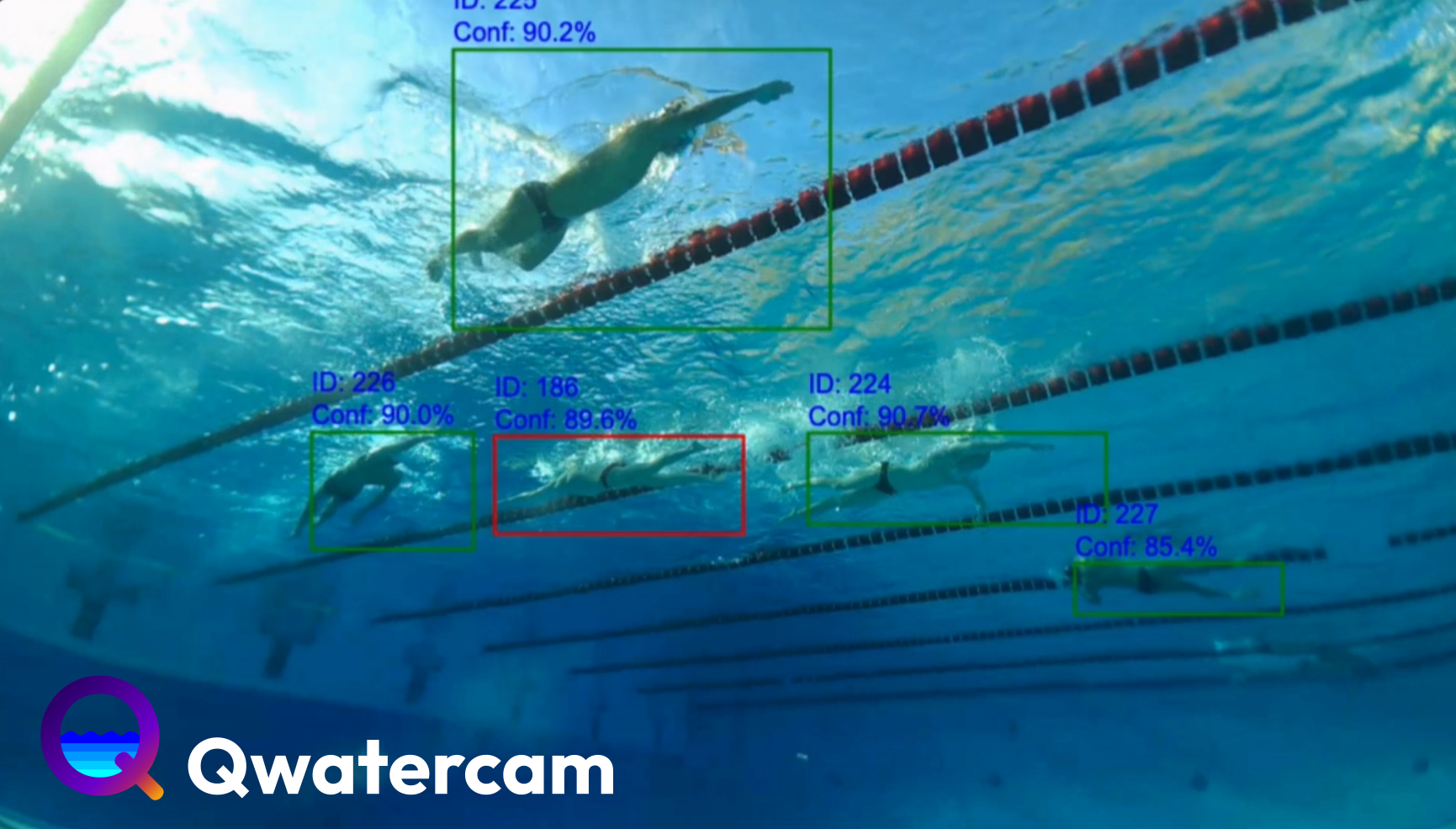
With Qwatercam, we’re able to solve all of these problems in a single unit. Our units use onboard AI vision models to automatically detect and track swimmers, something you can view in real time from the stream in our app.
With Qwatercam’s tracking, your swimmers can become the superstars of their own videos, while you get continuous, high quality information on what they look like underwater. No more having to piece together 3 second clips of a swimmer nearly out of frame.
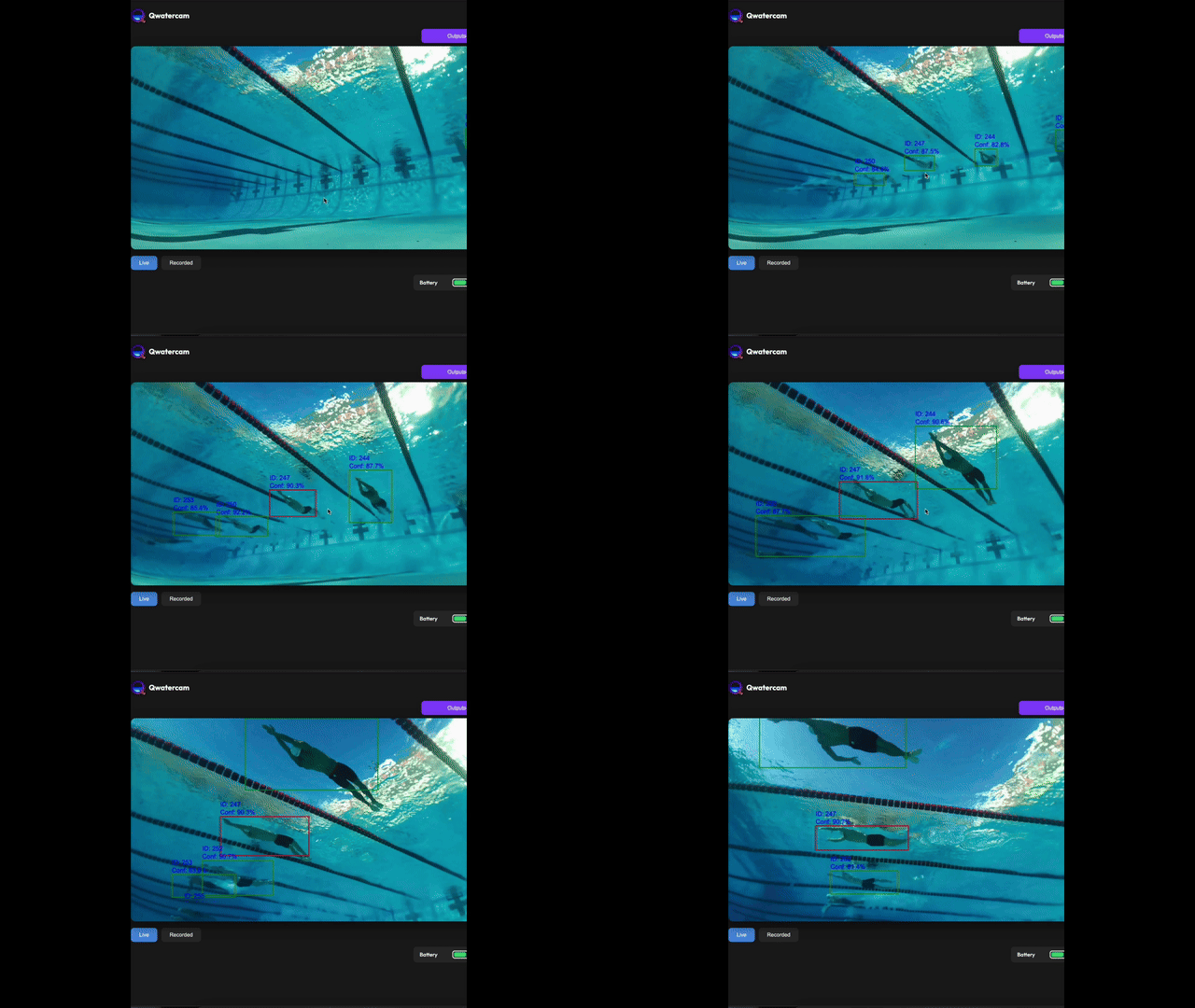
If you’re a power user, Qwatercam also offers manual control that you can use to direct the scene yourself. Compatible with the onscreen joystick, any gamepads you have, and even a flight stick, in case you wanted to feel like you’re piloting a jet airliner. (why did we implement flight stick controls?)
Each unit costs $2,500. That is to say, there are no subscriptions. No subscriptions required for footage access, tracking features, or any sort of camera use. At Qwatercam, we believe your hardware is yours, and want you to use it as you see fit. We’re not here to create some piece of e-waste that sits unused in a supply closet because you didn’t pay the yearly subscription. Qwatercam is built by swimmers, for the swimming community, so every decision we make comes from a personal desire to make swimmers and coaches better.
Our pilot program is totally filled up. However, you can still register your interest at qwatercam.com for the first batch of production units! Feel free to email [email protected] or leave a comment on this article if you have any questions.
Clark – Founder, Qwatercam
Qwatercam is a SwimSwam partner.
